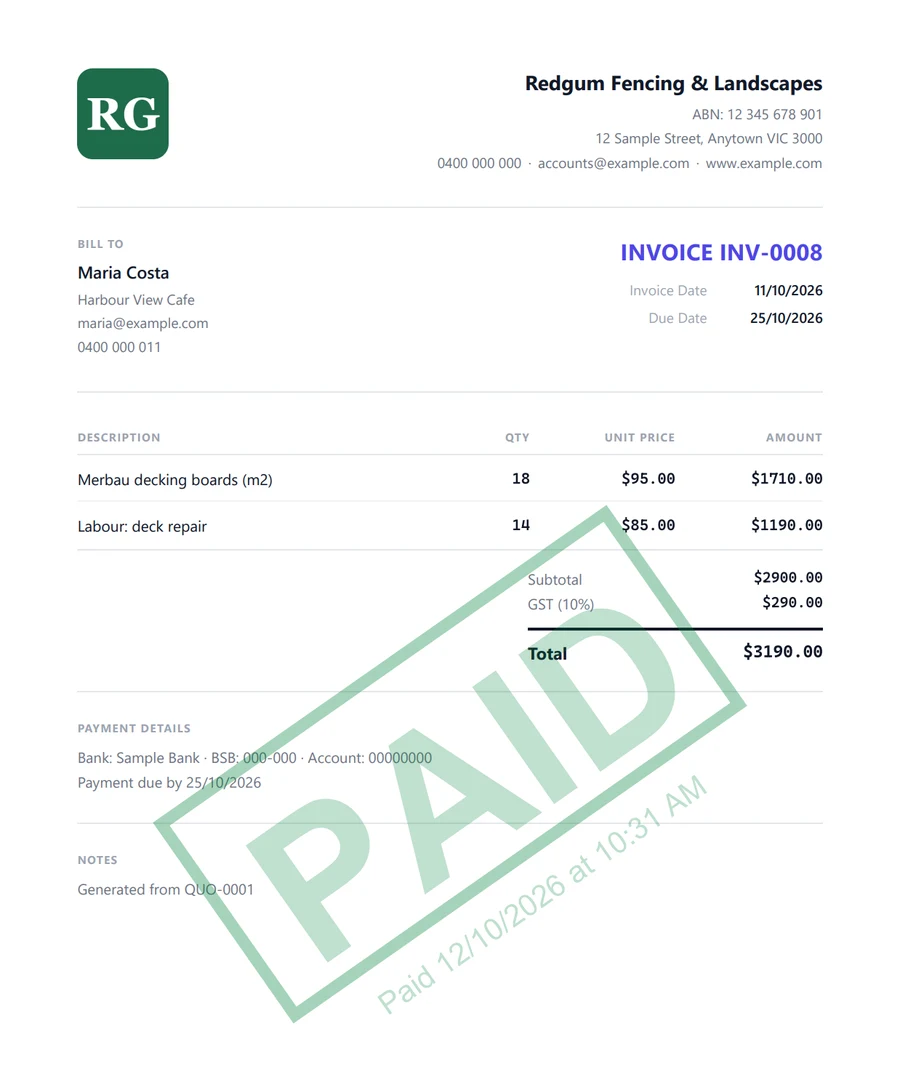
From first quote to paid, in minutes
A short guided setup puts your business details, logo and bank details on every document. Skip anything you like, and send your first quote today.
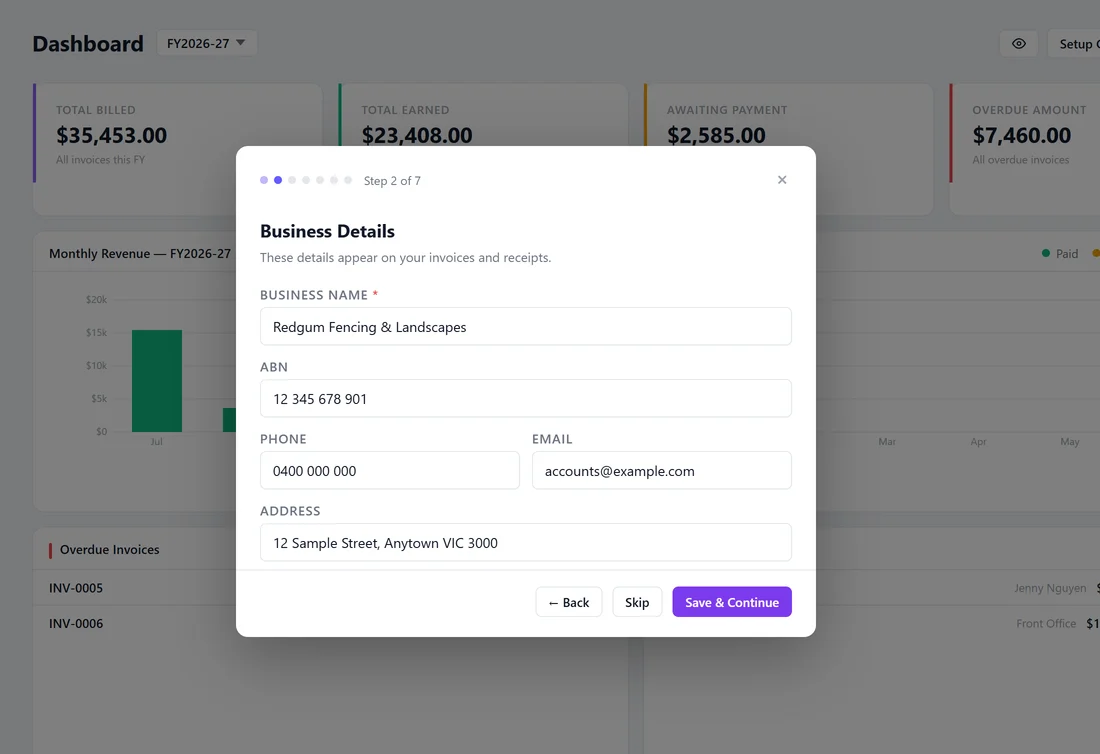
Set up in minutes
A guided setup walks you through your business details, logo, bank details, email and Stripe. Every step is optional, and you can come back to it any time from the dashboard’s Setup Guide.
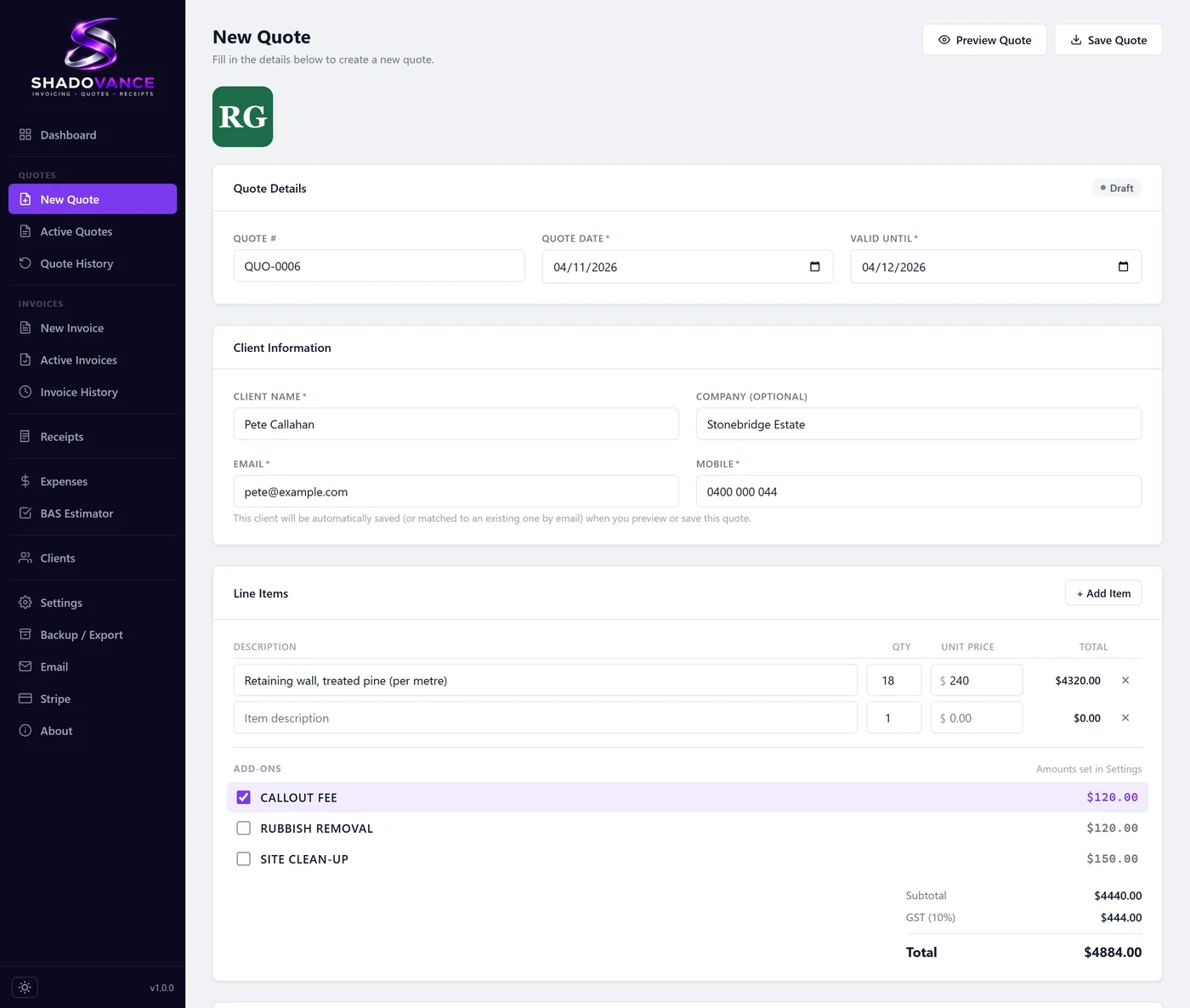
Quote the job
Add your line items and extras, and GST is worked out for you. A new client is saved automatically and the quote shows up on their page. It goes out as a PDF with your logo, ABN and terms already on it.
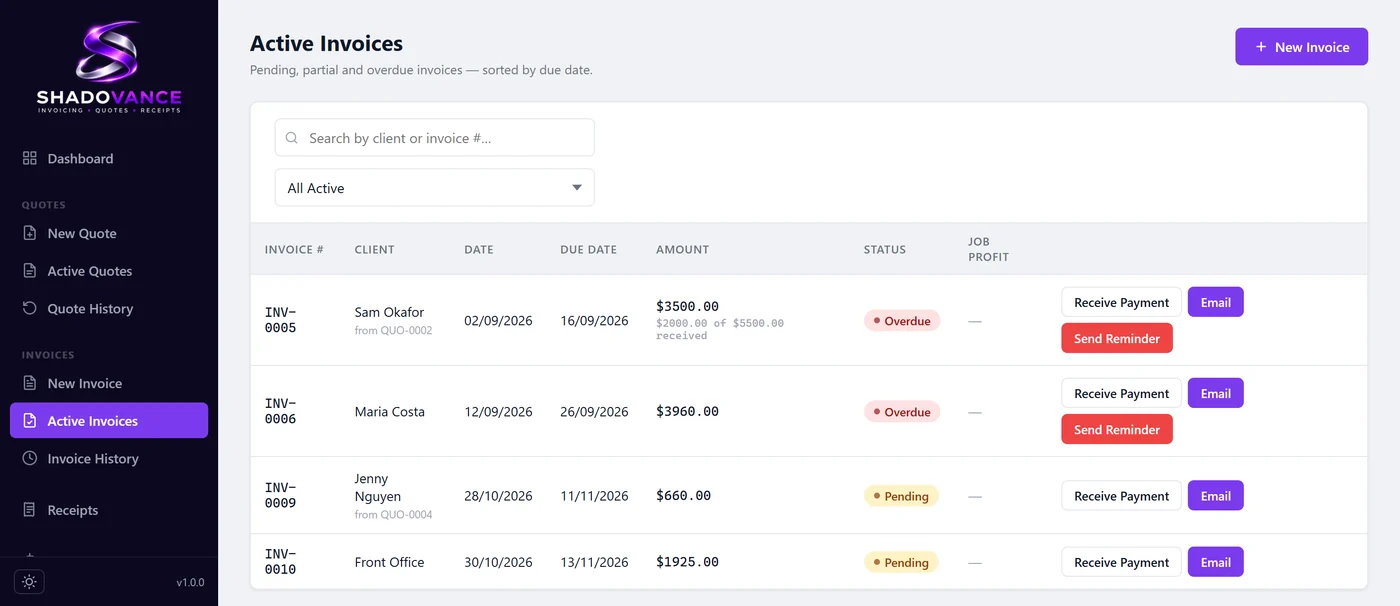
Convert it and invoice
Job approved? Turn the quote into an invoice in one click, with nothing to re-type. Email it from your own account, with a Pay Now link if you have connected Stripe.
Get paid
Record a payment, or let a Stripe payment come in. Shadovance marks the invoice paid, stamps it PAID and creates the receipt. Part payments and deposits are tracked too.